

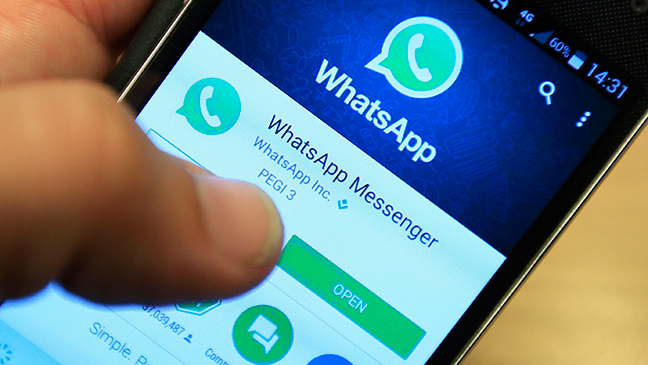
Whatsapp has urged its users to update their app after concerns were raised that hackers could inject spy software on to phones via the call function.
A spyware s alleged to have infected multiple targeted mobile phones through the WhatsApp messaging service without any user intervention through in-app voice calls. An unknown number of mobile phones were infected by the malware, which the company said it discovered in early May.
The attack involved hackers using the Whatsapp voice call feature to ring a device. The malware would then be incorporated in the phone even if the user does not receive the call.
The Facebook-owned incorporation said it made changes to its infrastructure late last week to block the attacks from taking place. Whatsapp added that only a select number of users appeared to have been targeted through the vulnerability by an ‘advanced cyber actor’.
“WhatsApp encourages people to upgrade to the latest version of our app, as well as keep their mobile operating system up to date, to protect against potential targeted exploits designed to compromise information stored on mobile devices,” a spokeswoman for the company said on Tuesday.
The Financial Times identified the ‘cyber actor’ as Israel-based NSO Group, which makes products for Middle Eastern and Western intelligence agencies.
In its reply to the issue, the NSO released a statement, saying that its technology is licensed to authorised government agencies for the sole purpose of fighting crime and terror. It added that it doesn’t operate the system itself and “under no circumstances would NSO be involved in the operating or identifying of targets of its technology, which is solely operated by intelligence and law enforcement agencies.”
Users can update their apps by using their devices’ play store and following the necessary steps. The update has improved infrastructure and automatically protects the device from the malware.
Steps on how to update Whatsapp
Android
- Open the Google Play store
- Tap the menu at the top left of the screen
- Tap My Apps & Games
- If WhatsApp has recently been updated, it will appear in the list of apps with a button that says Open
Read: Why the president needs a HR adviser
- If WhatsApp has not been automatically updated, the button will say Update. Tap Update to install the new version
- The latest version of WhatsApp on Android is 2.19.134
iOS
- Open the App Store
- At the bottom of the screen, tap Updates
- If WhatsApp has recently been updated, it will appear in the list of apps with a button that says Open
- If WhatsApp has not been automatically updated, the button will say Update. Tap Update to install the new version
- The latest version of WhatsApp on iOS is 2.19.51







![A Co-operative Bank branch in Kenya. [Photo/ Taalamu]](https://businesstoday.co.ke/wp-content/uploads/2025/09/Co-op-Bank-200x132.webp)






Leave a comment